













AI OnlyFans Content Calendar: What to Post and When
Content scheduling strategy for AI OnlyFans accounts, covering daily posting cadence, content mix, PPV timing, and social media coordination.
Why a Content Calendar Matters
An AI OnlyFans account without a schedule drifts. Subscribers expect fresh content. Algorithms reward consistency. We've run accounts with and without calendars, and the difference in retention is real. A content buffer keeps you from scrambling when generation fails or life interrupts. This guide covers what to post, when to post it, and how to keep the pipeline fed.
Daily Posting Cadence
Aim for 2 to 5 posts per day on your subscription platform. That range works because it's enough to feel active without flooding the feed. We've tested different cadences. Below 2 posts and subscribers notice the gap. Above 5 and the feed feels spammy. The sweet spot for most accounts is 3 to 4 posts daily, spread across morning, afternoon, and evening.
Batch your generation. Don't generate one image at a time. Set aside a block once or twice a week to produce 20 to 30 images, then schedule them. Tools like SugarGenBox and DeepMode handle batch generation. See the full image generator ranking and video generator ranking for platforms that scale.
Content Categories to Rotate
Variety prevents the feed from feeling repetitive. Rotate through these categories so subscribers never know exactly what's coming next.
Selfies. Mirror shots, bed selfies, casual face-forward content. These feel personal and drive engagement. Use them as filler between heavier content.
Lifestyle. Coffee in bed, getting ready, gym outfits, casual outfits. SFW-adjacent content that builds the persona. This category works for social media cross-posting too.
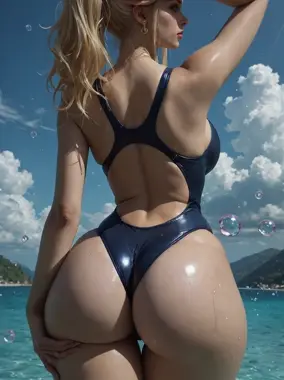
Lingerie and implied. Tease content that suggests more. Lingerie sets, implied nudity, suggestive poses. This is the bridge between SFW and explicit. It converts followers into subscribers when used on social.
Explicit. Full nudity, explicit poses, solo content. This is what subscribers pay for. Mix it into the feed but don't make it the only thing. Variety keeps people subscribed.
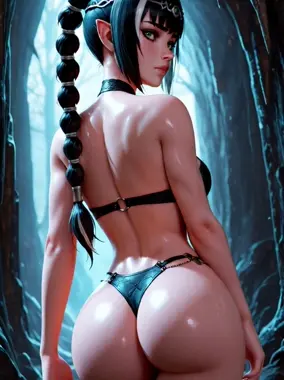
Themed sets. Holiday content, cosplay, roleplay scenarios, seasonal themes. Plan these in advance. Valentine's Day, Halloween, and summer content perform well when timed correctly.
PPV Timing Strategy
PPV (pay-per-view) messages are your primary revenue driver. Timing matters. Don't blast PPV to every subscriber the moment they subscribe. Build rapport first. Send a welcome message, maybe a free teaser, then introduce PPV after a few exchanges. The chatbot handles this in the AI OFM workflow.
Send PPV when engagement is high. After a subscriber tips, responds enthusiastically, or unlocks previous content, that's the moment. The chatbot should track these signals and offer premium content naturally. Avoid sending PPV to cold subscribers who haven't engaged. Conversion rates drop when you push too early.
Price PPV between $5 and $25 depending on content type and length. Short clips: $5 to $10. Full sets: $10 to $20. Custom-feeling or exclusive content: $15 to $25. Test and adjust based on unlock rates.
Social Media Posting Cadence
Social media feeds your subscription platform. Post daily across Reddit, Twitter/X, Instagram, and TikTok where your content fits. Each platform has different rules.
Reddit. NSFW subreddits allow direct links. Post 1 to 3 times daily to relevant subreddits. Build karma before heavy promotion. Engage in comments.
Twitter/X. Adult content is allowed. Post 2 to 4 times daily. Tease content, engage with replies, pin a tweet linking to your subscription.
Instagram and TikTok. SFW only. Lifestyle content, face reveals, getting-ready clips. Post 1 to 2 times daily. The gap between public content and paywall content is the conversion mechanism.
Coordinate social posts with your subscription feed. When you drop a themed set on the subscription platform, tease it on social first. Create anticipation.
Maintaining a Content Buffer
Run a 2-week content buffer minimum. That means you always have 14 days of scheduled posts ready. When generation fails, you're sick, or tools go down, the buffer carries you. We've seen accounts hit paywalls or API limits mid-week. Without a buffer, the feed goes dark. With one, nobody notices.
Batch production sessions. Dedicate 2 to 4 hours twice a week to generate the next buffer. Use the same character reference across sessions so output stays consistent. The character consistency guide covers how to lock your character across batches.
Seasonal Content Planning
Plan seasonal content a month ahead. Valentine's Day, summer, Halloween, and end-of-year content all perform when timed right. Generate themed sets in advance. Schedule them to drop on the right dates. Last-minute seasonal content looks rushed.
Create a simple calendar. Mark major holidays, platform-specific events, and your own content themes. Block out generation time for each. Sticking to the plan is what separates operators who scale from those who burn out.
Read the AI OFM workflow for how content production fits into the full pipeline, and the startup guide if you're building your first operation.
For informational purposes only. Nothing on this site constitutes legal, financial, medical, or other professional advice. Information about tools, platforms, and laws changes frequently. Verify before acting on anything here, and consult a qualified professional for advice on your specific situation.