






















How to Create a Consistent AI Character for OnlyFans
Technical guide to maintaining character consistency across AI-generated images, covering LoRA training, face-lock features, and reference image workflows.
Why Consistency Matters for OFM
Subscribers follow a character. When that character's face shifts between posts, the operation fails. AI OFM depends on the illusion that a single persona produces all the content. One photo with the wrong nose, different eye spacing, or a face that reads as a different person destroys trust. We've seen accounts lose subscribers within days of a consistency slip.
The technical challenge is straightforward: AI image models default to variation. They're trained to produce diverse output. Your job is to override that tendency and lock a specific face, body type, and style across hundreds of generations. Three approaches work: LoRA training, face-lock and IP-Adapter, and platform-specific character tools. Each has tradeoffs.
LoRA Training Workflow
LoRA (Low-Rank Adaptation) fine-tunes a base model on a set of reference images. The result is a small add-on file that injects your character into any compatible generator. It produces the most consistent results we've tested, but requires technical setup.
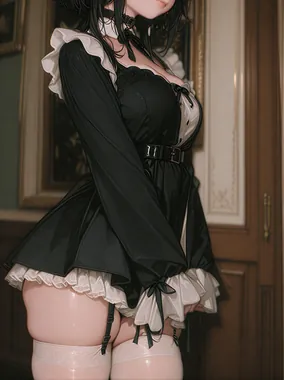
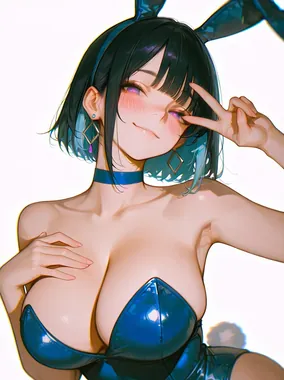
Step 1: Build your reference set. Generate 20 to 30 images of your character using an existing model or platform. Vary angles, expressions, lighting, and outfits. The model needs to learn the face from multiple contexts. Avoid duplicates or near-duplicates. Quality matters more than quantity.
Step 2: Train the LoRA. Use a training service or local setup. Civitai hosts community LoRAs and training workflows. Cloud services like Replicate or RunPod offer one-click LoRA training. Training typically takes 30 minutes to 2 hours depending on image count and hardware. Output is a .safetensors file.
Step 3: Deploy and generate. Load the LoRA into your image generator. Most Stable Diffusion interfaces support LoRA stacking. Use a consistent trigger word or phrase in your prompts so the model knows when to activate the character. Test across different poses and scenarios before committing to production.
The character consistency glossary covers the concept in more depth. For OFM, LoRA delivers the most consistent results when you need maximum control and are willing to invest in the workflow.
Platform-Specific Character Tools
Some platforms ship with character builders designed for consistency. Candy AI lets you create a character, define visual traits, and generate across that persona without leaving the platform. The tradeoff: less control than a custom LoRA, but faster setup and no technical barrier. These tools work well for operators who want to launch quickly and iterate later. If you outgrow the platform's consistency, you can export reference images and train a LoRA for more control.
Civitai hosts community LoRAs and training resources. You can browse existing character LoRAs (though most are not tuned for OFM) or use their ecosystem to train your own. The platform is built for power users. Expect a learning curve.
Face-Lock and IP-Adapter Approaches
Face-lock features let you upload a reference image and have the generator maintain that face across new generations. No training required. You trade some flexibility for speed.
How it works. The generator uses an internal face embedding or IP-Adapter style injection to constrain output to match your reference. You typically upload one or a few reference images, then generate with normal prompts. The face stays consistent as long as the reference is clear and the generator's face-lock is well implemented.
Platform options. Candy AI offers built-in character creation with face-lock. Upload a reference, define the character, and generate. Other platforms in the image generator ranking have varying levels of face consistency. Some support IP-Adapter or similar techniques; others rely on prompt engineering alone, which is unreliable for OFM.
Face-lock works best when your reference image is high quality, well lit, and shows the face clearly. Blurry or angled references produce inconsistent results. We've found that updating the reference every 50 to 100 generations helps when the model starts to drift.
Common Consistency Failures and Fixes
Drift over time. Even with LoRA or face-lock, long generation sessions can produce subtle drift. Fix: periodically regenerate your reference set from your best recent outputs. Retrain or refresh the LoRA every few hundred images if you notice degradation.
Wrong body, right face. Some setups lock the face but let body type, skin tone, or proportions vary. Fix: include body descriptors in your character document and prompt consistently. LoRAs trained on full-body images tend to hold body type better than face-only references.
Expression and angle collapse. The character looks the same but every image has the same expression or angle. Fix: diversify your training set. Include varied expressions, angles, and lighting. If using face-lock, rotate through multiple reference images for different shot types.
Artifact accumulation. Small errors (extra fingers, warped limbs) compound when you use img2img or inpainting on already-generated images. Fix: generate from scratch for final content. Use inpainting only for small edits, and always verify output before publishing.
Hair and style drift. Hair color, length, and style can shift between generations even when the face holds. Fix: include hair descriptors in your character document and prompt consistently. LoRAs trained on images with varied hair styling sometimes generalize better than those trained on a single look. If your character has a signature style, reinforce it in every prompt.
The AI image generators for OnlyFans ranking evaluates each platform on character consistency at volume. Start there when choosing tools for your pipeline. Candy AI and Civitai both support workflows that prioritize consistency, whether you're using platform tools or training your own LoRA.
For informational purposes only. Nothing on this site constitutes legal, financial, medical, or other professional advice. Information about tools, platforms, and laws changes frequently. Verify before acting on anything here, and consult a qualified professional for advice on your specific situation.